Live3 · Interface guide
Audit Log
A time-stamped record of actions taken in your organization: who did what, and when.
A time-stamped record of actions taken in your organization: who did what, and when. For example, each time SeRA is enabled or disabled on a device.
How to get there. Choose Audit Log in the left navigation.
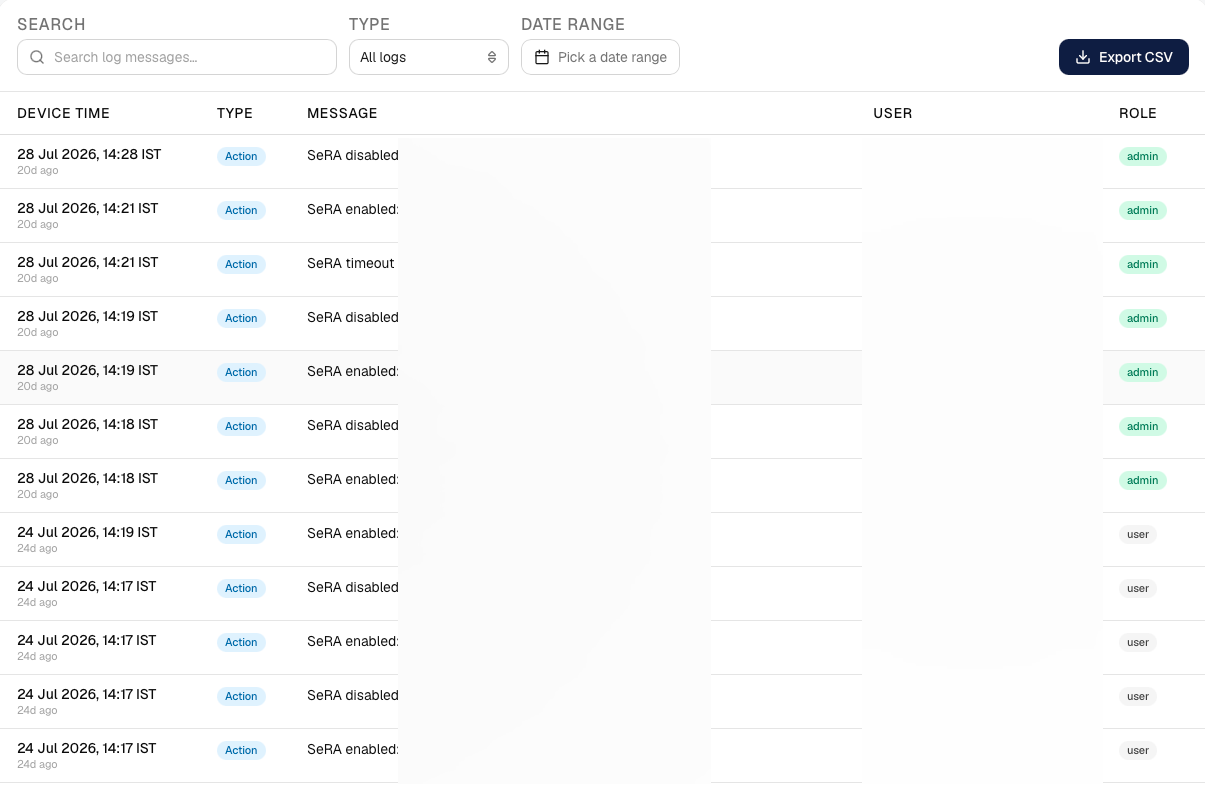
Key areas
| Area | What it does |
|---|---|
| Filters | Search the messages, filter by type, and pick a date range. |
| Export | Download the filtered log as CSV. |
| Log table | Each row: device time, type, message, the user, and their role. |
| Pagination | Page through the history, with a selectable number of rows per page. |
Related
- Interface guide — every screen in one place
- How-to guides — tasks that span screens